Skip to product information

XOVYRA Aurora Desktop

XOVYRA Aurora Desktop

🚀32GB DDR5 RAM Kit for Modern Desktops

Trustpilot评分卡片 - 手机端优化版
4.9
Excellent 19,544 Real Reviews
Verified Company

⚡ 6400 MT/s Performance

High-bandwidth DDR5 memory engineered for smooth gaming, faster creation, and responsive multitasking.

⏱ CL36 Low Latency

Optimized timings improve responsiveness while maintaining stable performance under demanding workloads.

💎 Premium SK hynix DRAM ICs

Premium memory chips deliver excellent stability, compatibility, and long-term reliability.

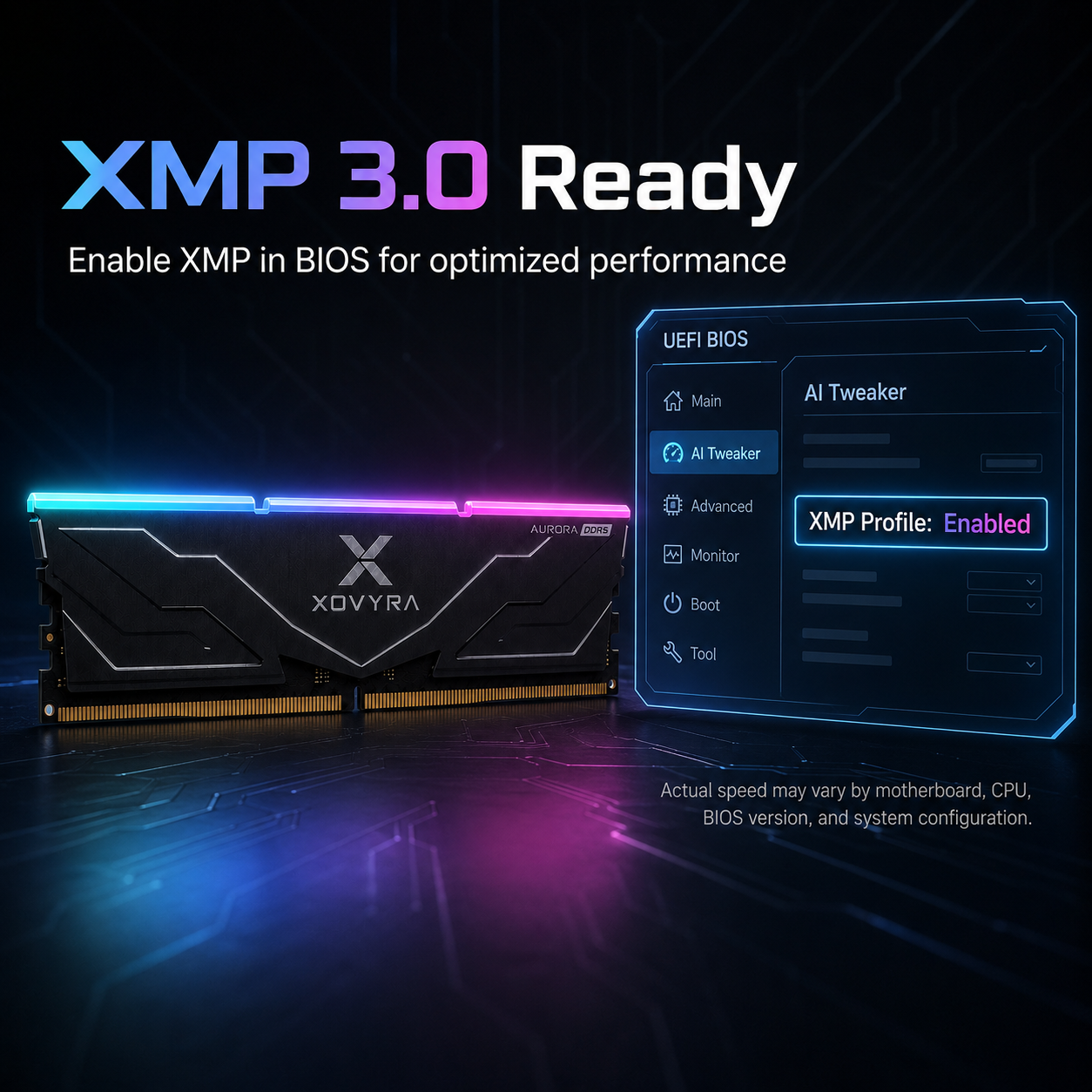
🎮 Intel XMP 3.0 & AMD EXPO

One-click overclocking profiles for optimized performance on Intel and AMD platforms.

Regular price $59.99 USD
Regular price $59.99 USD Sale price $79.99 USD
SAVE 25% Sold out
 

BUNDLE & SAVE


Built to match different desktop needs — from daily browsing and gaming to streaming, multitasking, editing, and heavier workloads. Choose the capacity that fits your setup with clear DDR5 desktop compatibility and high-speed profile support.

Secure Checkout
90-Day Returns
Warranty Support

 
XOVYRA Aurora Desktop

XOVYRA Aurora Desktop

 (8963 Reviews)
Regular price $59.99 USD
Regular price $59.99 USD Sale price $79.99 USD
SAVE 25% Sold out

XOVYRA AURORA RGB DDR5

More memory headroom.
Less slowdown.

Upgrade a compatible DDR5 desktop for smoother gaming, streaming, work, and everyday multitasking—with an RGB light bar that finishes the look of your build.
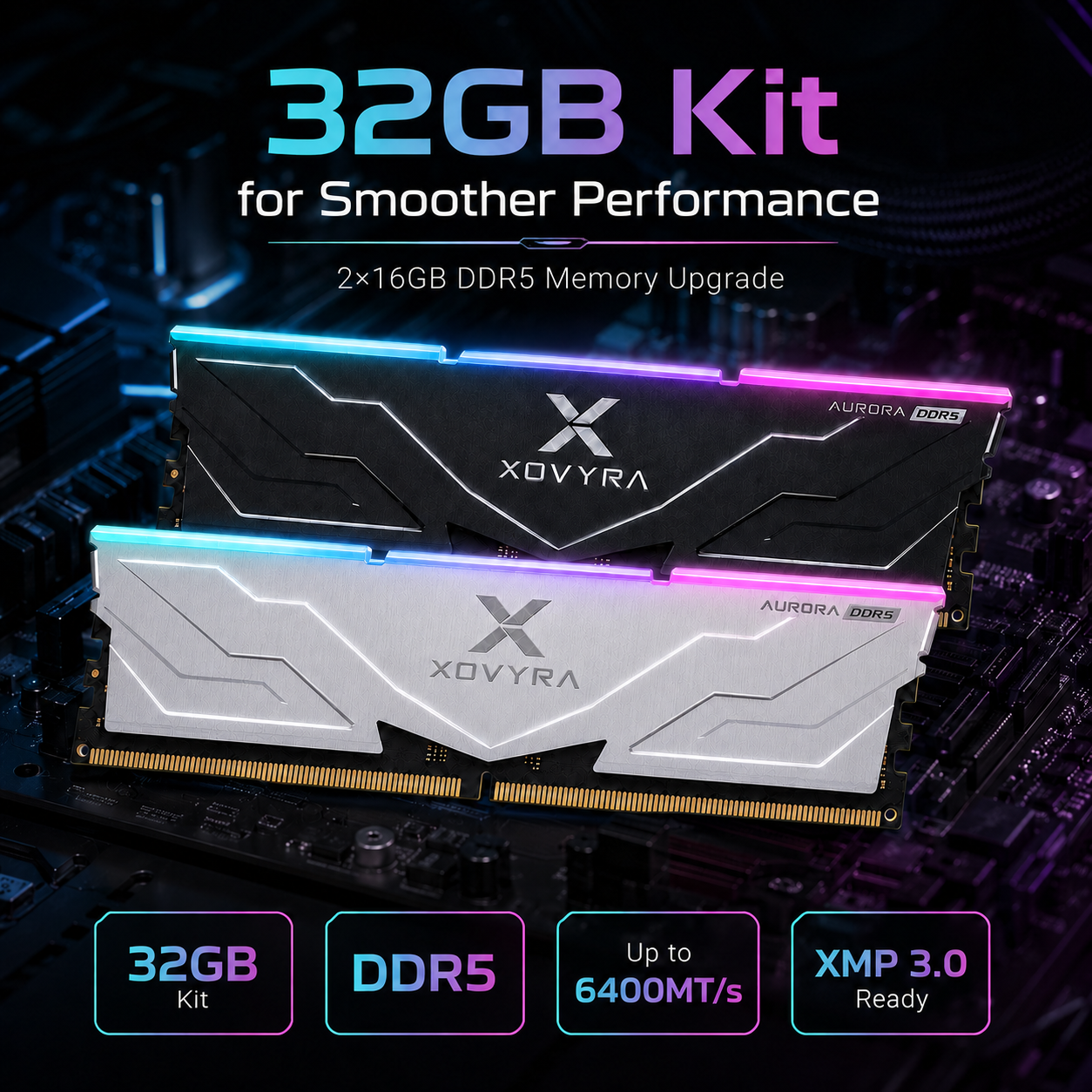
DDR5 Desktop UDIMM Up to 6400 MT/s CL36 Profile Intel XMP 3.0 Ready
Select Capacity & Color Choose your kit in the product options above.
Free Standard Shipping All current variants exceed the $40 threshold
90-Day Return Window Return-policy conditions apply
Secure Checkout Major cards, PayPal, Apple Pay & Google Pay
XOVYRA Aurora RGB DDR5 32GB desktop memory kit in black and silver

Check Before Ordering

Will it fit your PC?

Three quick checks prevent the most common RAM-ordering mistakes.

1

Desktop PC only

This is full-size desktop memory. It does not fit laptops, mini-PC SO-DIMM slots, or most all-in-one computers.

2

Your board must use DDR5

DDR5 and DDR4 use different physical slots and are not interchangeable. Check your motherboard model before purchase.

3

Confirm speed support

Your CPU, motherboard, BIOS, and memory configuration must support the selected speed. Large air coolers may also require a clearance check.

About 6400 MT/s: the rated speed uses an Intel XMP 3.0 memory profile. A compatible system may start at a lower default speed first. Enable XMP in BIOS to apply the rated profile. Actual achievable speed can vary by CPU, motherboard, BIOS version, and number of installed modules.

Choose Your Capacity

Buy for the way you use your PC.

Capacity usually matters more than chasing a benchmark number. Pick one matched configuration for the workload you actually run.

16GB

1 × 16GB Module

  • Everyday browsing and office use
  • Light gaming and basic applications
  • Entry-level option for a DDR5 desktop

64GB

2 × 32GB Matched Kit

  • Video editing and content creation
  • Large projects, virtual machines, and heavy workloads
  • More headroom for demanding professional use
Best stability tip: use the modules included in one matched kit. Mixing separate RAM kits, even with similar labels, can reduce speed or cause instability.
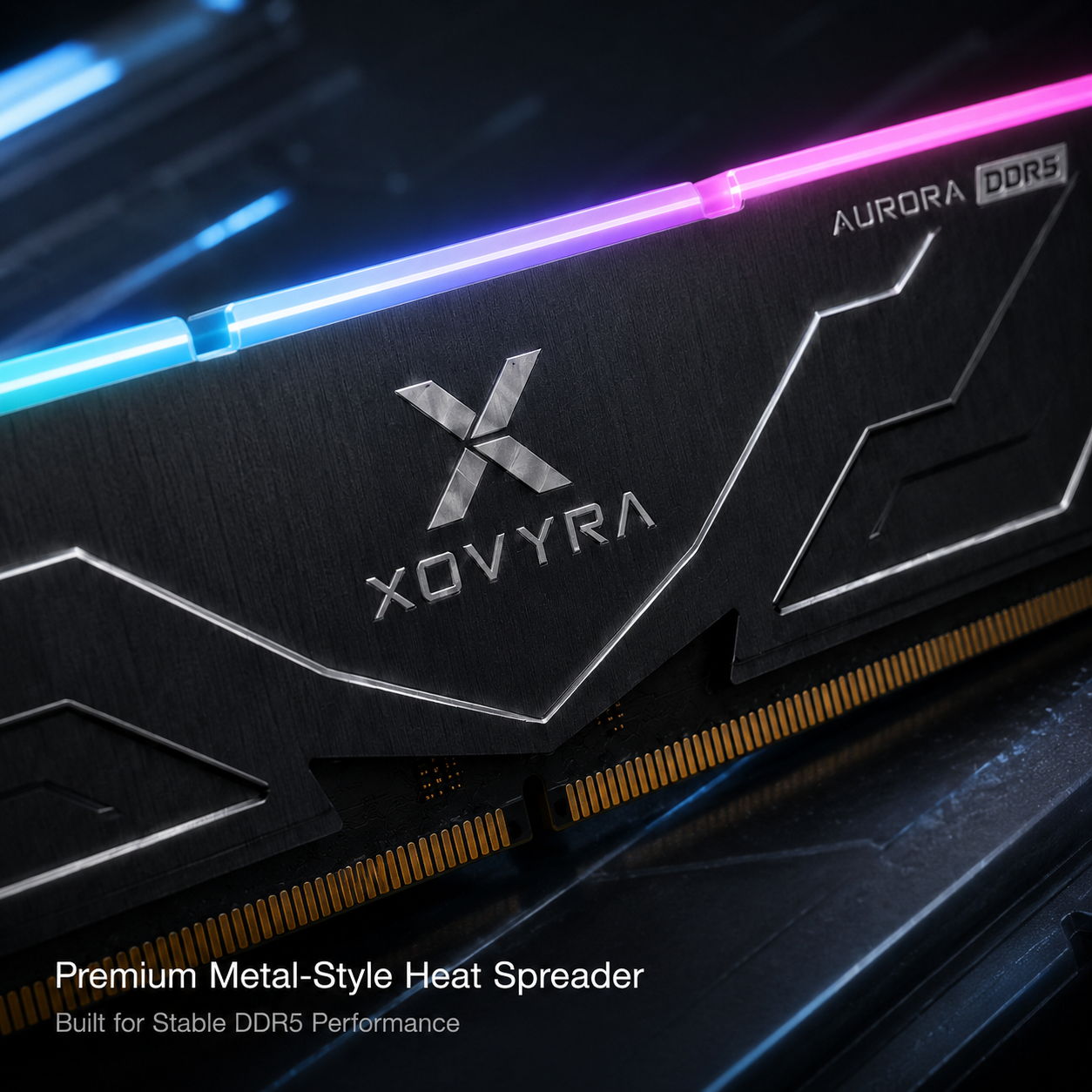
Close view of the XOVYRA Aurora DDR5 heat spreader and RGB light bar

Designed for Modern Builds

Performance, capacity, and a cleaner build.

High-speed DDR5 profile

Up to 6400 MT/s with a CL36, 1.35V XMP profile on compatible systems.

Matched kit options

Choose 32GB or 64GB dual-module kits for a balanced two-module setup.

Integrated RGB light bar

Adds a bright cyan-to-purple-to-pink accent to glass-side-panel builds.

Metal heat spreader

Aluminum-alloy styling in Midnight Black or Frost Silver.

Product Specifications

The details that matter.

Memory Type
DDR5 Desktop UDIMM
Form Factor
288-pin UDIMM
Capacity Options
16GB (1×16GB) / 32GB (2×16GB) / 64GB (2×32GB)
Rated Speed
Up to 6400 MT/s
Timing
CL36 profile
Profile Voltage
1.35V
Memory Profile
Intel XMP 3.0 Ready
Lighting
Integrated RGB light bar
Heat Spreader
Aluminum-alloy heat spreader
Colors
Midnight Black / Frost Silver
Not Compatible With
DDR4 slots, laptops, SO-DIMM systems, or server ECC-only platforms

Rated specifications are profile settings and are not guaranteed on every CPU/motherboard combination. DDR5 on-die error correction is not the same as full server-grade ECC memory.

Know Before Checkout

No surprise policy details.

Free

Standard shipping

Standard shipping is free on orders of $40 or more. View shipping policy.

1–3 Days

Order processing

Standard delivery is currently estimated at 15–20 days after processing.

90 Days

Return window

Eligibility and item-condition rules apply. View return policy.

Frequently Asked Questions

Still checking compatibility?

Will the RAM automatically run at 6400 MT/s?
Not necessarily. A compatible system may boot at a lower safe default speed. Enable the Intel XMP profile in BIOS to apply the rated settings. The final stable speed depends on your CPU, motherboard, BIOS, and memory configuration.
Can I use this on an AMD DDR5 motherboard?
The physical DDR5 UDIMM format may work with compatible AMD desktop motherboards, but this listing specifically confirms Intel XMP 3.0. Check your motherboard manual and QVL for XMP-profile support at the selected speed. Do not assume AMD EXPO certification unless it is explicitly listed.
Can I mix this kit with the RAM already in my PC?
Mixing separate kits is not recommended. Different modules can force lower speeds or cause instability, even when their headline specifications look similar. For best results, install one matched kit.
Does this fit a DDR4 motherboard or laptop?
No. This is DDR5 desktop UDIMM memory. DDR4 slots are physically different, and laptops normally use smaller SO-DIMM modules.
What is included with each capacity?
The 16GB option includes one 16GB module. The 32GB option includes two 16GB modules. The 64GB option includes two 32GB modules.
What should I do after installation?
Confirm the full capacity is detected in BIOS or your operating system. Then update the motherboard BIOS if needed and enable XMP only after the system boots normally at default settings.

Ready to Upgrade?

Choose the capacity that fits
your real workload.

For most gaming and everyday multitasking builds, the 32GB (2×16GB) kit is the strongest all-around choice.


View full details

Desktop DIMM Installation

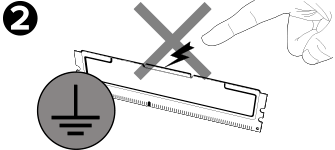
Note: Never apply pressure or handle the memory module on or around the Integrated Circuit (IC)! Always handle memory with both hands positioned at the upper-most corners of the Printed Circuit Board (PCB).
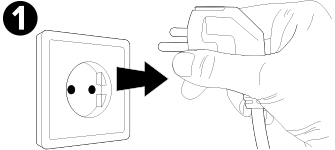
Disconnect the AC power cord and remove the computer cover.
Disconnect the AC power cord from the back of your desktop PC.
Always touch an unpainted and grounded metal object or use a grounded antistatic wrist strap to prevent electrostatic discharge (ESD).
Prior to handling the DIMM memory module(s), always touch an unpainted and earthed metal object or use an earthed anti-static wrist strap to prevent electrostatic discharge (ESD).
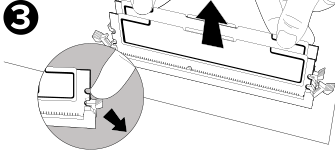
Remove pre-existing memory by pressing down on the lock/ejector tabs. The tabs are located at both ends of the memory socket.
If necessary, remove pre-existing DIMM modules by pressing down on the lock/ejector tabs. The tabs are located at both ends of the memory socket.
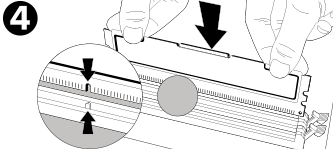
Align the memory module key(s) along with the memory socket keys(s) for proper installation.
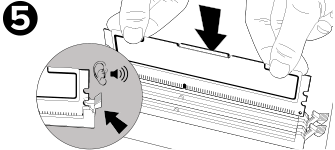
Press the memory into the socket until the tabs snap into place and secure the memory module.
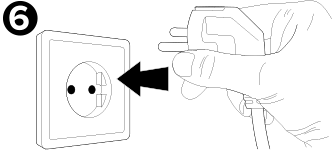
Replace the computer cover and plug in the AC power cord.
Replace the computer cover and plug in the AC power cord. Once you've secured everything, simply turn on your PC and enjoy the increased performance.